One plan, from the office to the field.
CanopyZ lets you design a farm on the map, check water, salinity, sun, wind, yield and budget, and run the daily work with your team from their phones.
Early access. A 14-day Pro trial with no card. Windows app and phone app; Revit plug-in coming soon.
Made for the people who plan farms, and the people who run them
Agricultural and landscape engineers
Design new plantings, check existing farms, and hand your clients a full report in their language. Look after many farms from one place.
Farm owners
See the plan, the work done, the harvest and the reports your engineer shares, on your phone.
Field teams
Record the day's work, harvests and sprays on a phone, even with no signal. A supervisor can record for workers without phones.
Every question before you plant, in one place
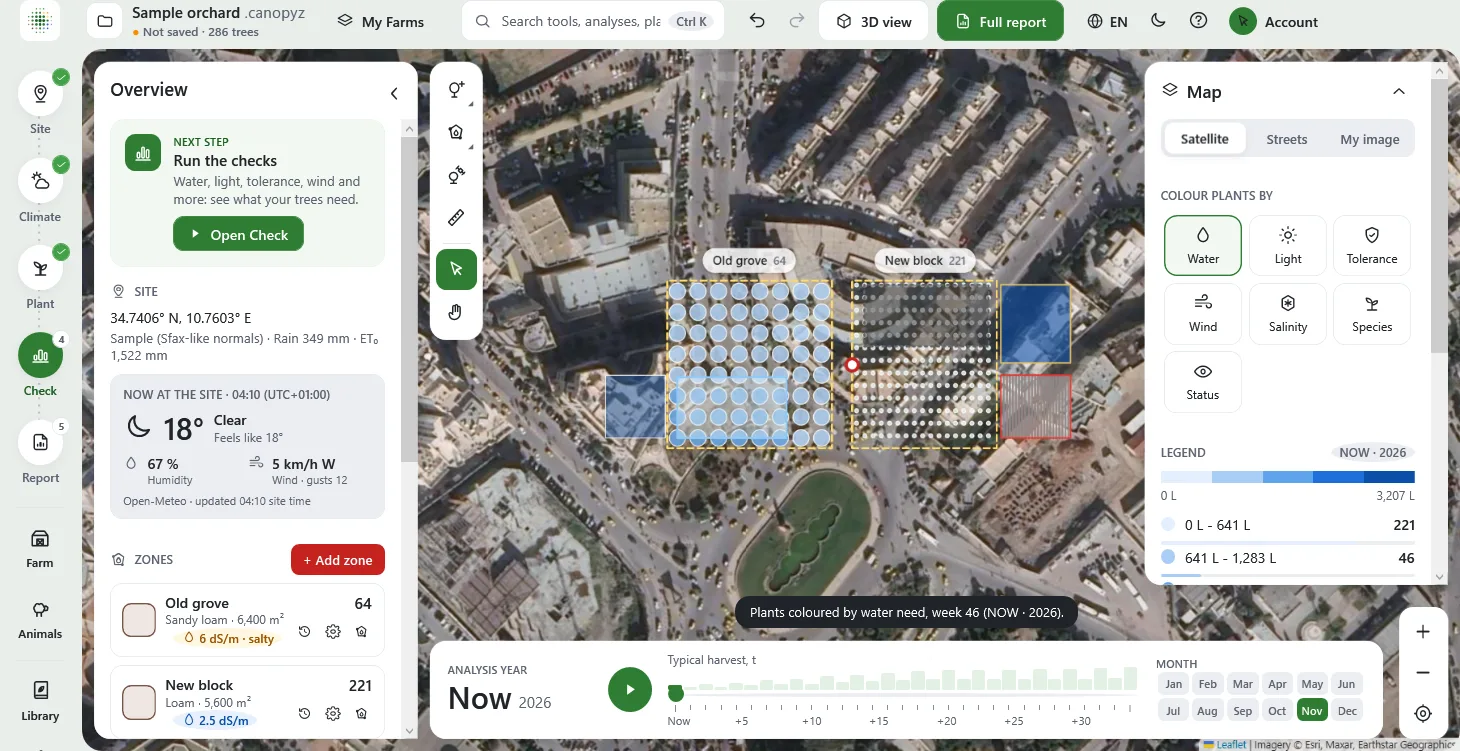
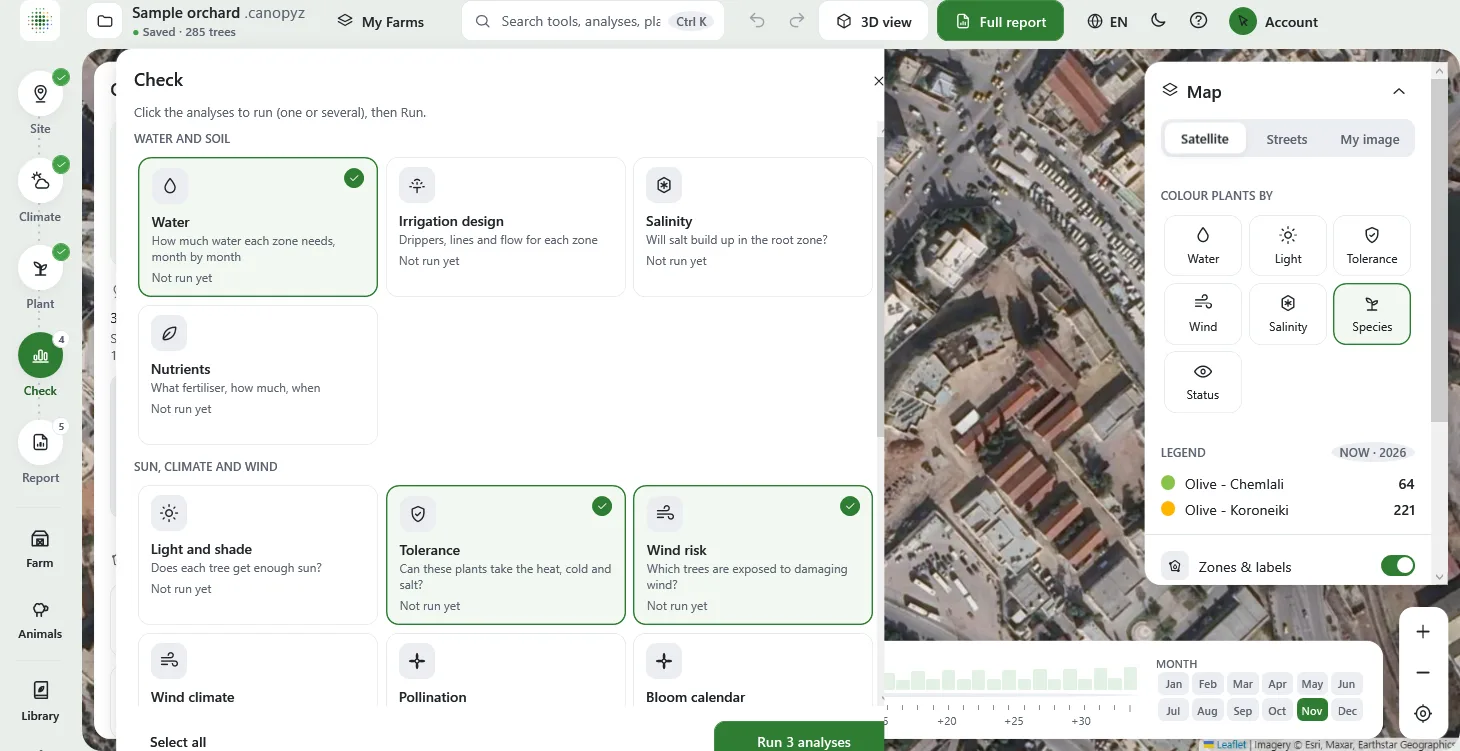
Each check says in one sentence what your trees need, colours the map, and goes into the report.
Water
How much each zone needs, week by week, from the site's climate.
Irrigation design
Valves, flows and the running time of a peak day, as a brief for the irrigation engineer.
Salinity
Salt in the soil and water over the years, and its cost in yield.
Sun and shade
Hours of sun on every tree, through the day and the year.
Tolerance
Whether each species suits the site's heat, cold, soil and water.
Wind and pollination
Trees at risk in a strong wind, windbreak options, and pollen reaching each tree.
Yield
The expected harvest year after year, and what holds it back.
Budget and payback
Establishment and running costs, income and the payback year, from your own prices.
Nutrients
The fertiliser the plants need, and when.
Animals
Housing, feeding, breeding calendar and herd figures, for planning with your vet.
Crop health
Each zone month by month from free satellite images.
Year by year
Measurements and lab tests compared with the plan, every season.
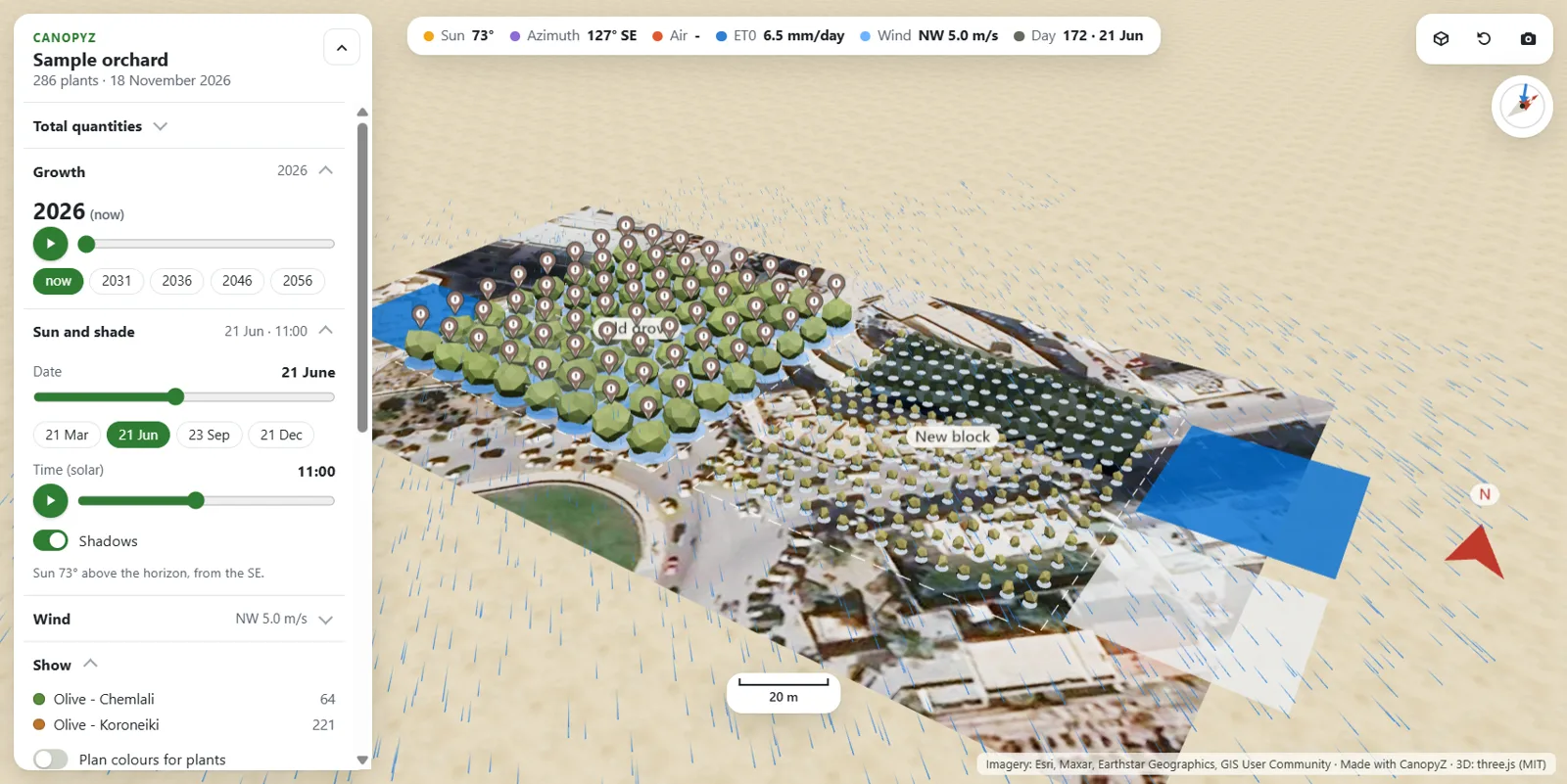
The orchard now, and in twenty years
Move the year bar and the trees grow, the shade spreads and the harvest comes in. The 3D view shows sun, shade and wind for any day.
- Compare design options: trees, water, yield and cost
- Salinity simulated over the years, with what to do about it
- Find the existing trees in a satellite image
From the plan to the field
Draw the site
Find the place on the satellite map, draw the zones with their soil and water tests, and place the trees, rows, hedges and crop fields.
Run the checks
Every result colours the map, and moves with the years: see the orchard now and in twenty years.
Make the report
One full report with maps, tables and a plain summary, in English, French, Arabic or Spanish.
Run the farm
The phones get the tasks and send back what was done. The yearly review compares the plan with the farm.
The field team works from their phones
- Today’s tasks, the week’s watering and frost or heat warnings
- Harvest, sprays with their waiting times, issues with photos
- A live map of the trees being worked on
- Attendance and piece-work for a team without smartphones
- Keeps recording with no signal
Run many farms for your clients
All your farms
My Farms lists every farm you manage, on a map or as a table, with your plan’s places.
Clients and billing
Agreements, invoices and receipts in your client’s language. Your client sees their farm and reports on the phone.
A team of engineers
Each engineer has their own account in the firm’s workspace and a Windows seat. When two change the same farm, nothing is lost.
Good to know
Does it work without the internet?
The Windows app works offline for up to 14 days, then it needs to connect once to renew its licence. The phone app keeps recording without a signal and sends everything when the connection returns.
Can I move it to another computer?
Yes. Each person uses CanopyZ on one computer at a time and can move it to another a few times a month, from the app itself.
Can my team work on the same farms?
Yes. Each engineer signs in with their own account inside the firm's workspace. The Pro plan has two Windows seats, and more can be added.
Where is my data kept?
Projects stay on your computer until you save them to a farm online. Farms saved online are kept on our server so your team and phones can work on them. See the privacy policy.
Which languages?
The Windows app, the reports and the phone app are in English, French, Arabic and Spanish.
Are the results certified?
No. The analyses are estimates from published methods, to help you decide. The more accurate the data you enter (soil and water tests, climate, the trees as they really are), the more accurate the results. Check them against your experience and a local specialist.
Results are estimates to help you decide, not a certification. Weather data by Open-Meteo.com (ERA5, Copernicus) and NASA POWER; crop health from Copernicus Sentinel; map imagery by Esri and OpenStreetMap contributors. See the terms, the privacy policy and the refund policy.
Try CanopyZ on your own farm
Early access is open by invitation. Leave your email and we’ll send you the links.